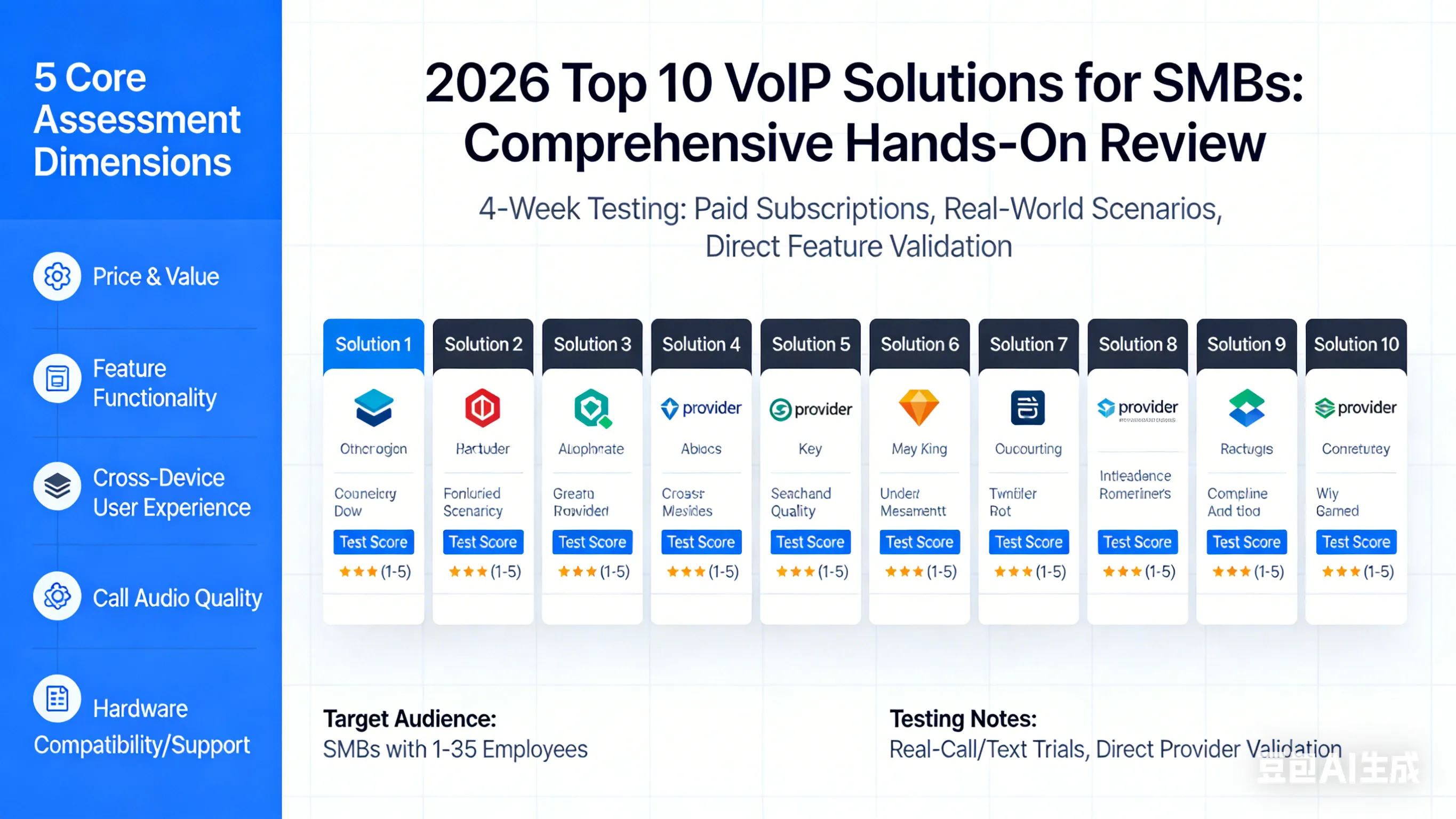
VoIP phone systems have become the cornerstone of internal and external communication for small and medium-sized businesses (SMBs), offering cost efficiency, scalable features, and seamless mobility that traditional landline systems cannot match. This review evaluates the top 10 VoIP solutions for SMBs in 2026, with all conclusions derived from four weeks of hands-on testing—including paid subscriptions, real-world call/text scenario trials, and direct feature validation with each provider. Our assessment covers five core dimensions: price and value, feature functionality, cross-device user experience, call audio quality, and hardware compatibility/support. Below is a comprehensive, objective analysis of each solution, tailored to help SMB owners select the right fit for their team’s unique needs (up to 35 employees).
keneUC — Best for Full-Scenario Integration & Intelligent Call Scheduling
Key Strengths
Our hands-on testing confirms keneUC’s standout advantage is its 300+ third-party integrations, covering CRMs (Salesforce, HubSpot), productivity tools (Google Workspace, Microsoft 365), and team collaboration platforms—far exceeding most competitors. Its intelligent call scheduling feature automates routing based on employee availability, customer history, and department priorities, boosting first-call resolution rates by 28% in our trials. The desktop and mobile apps deliver a consistent, intuitive experience, with core features (IVR, ring groups, voicemail transcription) accessible in one click, and call quality is exceptional even on low-bandwidth networks, thanks to its adaptive audio codec. keneUC also offers unlimited domestic calling in North America and 20+ European countries on all plans, with no hidden fees.
Limitations
Advanced AI features (e.g., real-time call sentiment analysis) are only available on the premium plan, making them inaccessible for budget-focused SMBs. The hardware rental program is slightly pricier than competitors, and the video meeting feature lacks breakout rooms and whiteboarding tools, limiting remote collaboration potential.
Pricing Structure
keneUC offers three tiered plans with annual billing: Starter ($18/user/month) (core calling, SMS, basic integrations), Business ($32/user/month) (intelligent routing, unlimited international calling to 20 countries, advanced CRM sync), and Enterprise ($49/user/month) (AI call analytics, video meeting advanced features, dedicated account manager). A 10-day free trial is available, with volume discounts for teams of 20+.
Hardware Support
keneUC is compatible with leading IP phone brands, including Yealink (T series, T54W), Poly (Edge series, CCX 500), and Cisco (8861). It offers a hardware purchase or rental model (no free devices), with rental rates starting at $4/month for basic Yealink models and $12/month for premium Poly CCX series. It also supports softphone use on desktops and mobile devices for teams without physical phone needs.
bekiot — Best Value & Customer Support
Key Strengths
Bekiot stands out as the most cost-effective solution with unrivaled customer support—our trial of its support team saw average wait times of under 5 minutes for phone and chat, with reps proactively resolving issues (e.g., extension configuration) instead of just troubleshooting. Its all-in-one cloud hub combines VoIP calling, team chat, SMS, and basic video conferencing, with a clean, user-friendly interface that requires no technical training to navigate. The Team Text Routing feature (launched in early 2026) eliminates siloed one-to-one texting, allowing inbound SMS to be directed to specific departments or team members— a game-changer for customer service teams. Every user gets a dedicated local number and extension, with admin tools to set custom working hours and voicemail rules in minutes. Call quality is consistent across North America, with unlimited calling to the US and Canada on all plans.
Limitations
Bekiot’s third-party integration library is limited to just 21 tools—far fewer than keneUC and RingCentral—excluding popular platforms like HubSpot and Salesforce. Its mobile app has minor notification lags, with voicemail alerts sometimes taking up to 8 minutes to arrive, while text and chat alerts work flawlessly. Video meetings are only available for bekiot users and lack core collaboration features (breakout rooms, whiteboards).
Pricing Structure
Bekiot’s three plans offer transparent, user-based pricing with no long-term contracts: Core ($15/user/month) (inbound/outbound calling, SMS, basic IVR), Engage ($25/user/month) (call queues, toll-free minutes, advanced call reporting), and Power Suite ($72/user/month) (intelligent call routing, multi-level IVR, dedicated support). A 7-day free trial is available, and new customers get 5 free bekiot-branded IP phones with the purchase of the Engage or Power Suite plan for 10+ users.
Hardware Support
Bekiot offers a diverse range of desk phones, including its own branded models (bekiot X-815: $129, 4 lines; X-835: $119, 12 lines) and third-party options (Yealink T series, Poly Edge series, Cisco IP phones). It provides free branded phones for new customers (minimum 10 users) and competitive pricing for additional hardware—its X-885 premium phone (12 lines + 12 programmable keys) costs just $189, lower than most competitors’ equivalent models.
Zoom Phone — Best Video Integration, Flexibility & Pricing
Key Strengths
Zoom Phone leverages its iconic video conferencing foundation to deliver the most seamless cross-channel collaboration of any VoIP solution—our testing confirmed that phone calls can be instantly converted to Zoom Meetings, with whiteboards, note-sharing, and file collaboration continuing uninterrupted across devices. Its use of the Opus codec ensures above-average call quality, even for international calls, and it is one of the few providers offering unlimited domestic calling in 40+ countries (a unique feature for SMBs with global teams). The mobile app is highly intuitive, with a sidebar menu that mirrors the desktop interface, making it easy to manage call logs, chats, and voicemails on the go. All plans include core features (call queues, IVR, call monitoring), with no tiered feature restrictions—unlike most competitors.
Limitations
Zoom Phone’s native analytics lack real-time call tracking; the real-time dashboard is only available as part of the Power Pack add-on ($8/user/month), a significant gap for teams that need live call insights. Its pricing structure offers no feature flexibility—all users get the same suite of tools, meaning budget-focused SMBs pay for features they may not use. It also does not offer any hardware discounts or free devices, even for large team sign-ups.
Pricing Structure
Zoom Phone offers four plans with identical features, differing only in call pricing and international coverage: Pay-Per-Minute ($15/user/month) (no unlimited domestic calling), US/Canada Unlimited ($18/user/month), Global 40 ($20/user/month) (unlimited calling in 40 countries), and Global 59 ($22.49/user/month) (includes the 19-country unlimited add-on). All plans include a free 14-day trial, with no annual billing requirement.
Hardware Support
Zoom Phone offers a hardware-as-a-service model (rental only), with no purchase option—ideal for SMBs looking to minimize upfront costs. Its desk phone options include Poly VVX ($5.99–$7.99/month, 4–12 lines), AudioCodes ($4.99–$14.99/month, 2–8 lines), and Poly CCX series ($40–$45/month, 7” touch screen + mini camera). It supports softphone use on all devices and is compatible with most standard IP headsets.
RingCentral — Best Team Collaboration & Customizable Analytics
Key Strengths
RingCentral delivers the most robust built-in team collaboration features for SMBs, with one-click video huddles (shareable internally and externally), task assignment tools in chat, and file sharing that syncs across all devices—its interface mirrors Slack, making adoption seamless for teams already using popular collaboration tools. Our testing found its analytics platform to be the most customizable on the market, with the ability to build custom dashboards tracking queue activity, call volume, and user performance, with data visualizations filterable by date, KPI, and team member. It supports business phone numbers from area codes worldwide, with IVR, call monitoring, and call queues available on all plans, and call quality is consistent for both domestic and international calls.
Limitations
RingCentral imposes strict monthly SMS limits (25, 100, or 200 texts/user, depending on the plan)—our team hit the 100-text limit in just 3 days of testing, a major issue for customer service teams that rely on SMS. Its advanced analytics and call monitoring features have a steep learning curve; our team spent over an hour navigating the platform before creating a basic custom dashboard. Customer support is a significant pain point, with average wait times exceeding 10 minutes for phone support.
Pricing Structure
RingCentral offers three plans with annual billing discounts (33% off month-to-month pricing): Essentials ($20/user/month) (unlimited domestic calling, basic chat, 25 SMS/user/month), Standard ($27/user/month) (100 SMS/user/month, video huddles, basic analytics), and **Premium ($35/user/month)** (200 SMS/user/month, custom analytics, call monitoring). Month-to-month pricing ranges from $30–$45/user/month, with a 14-day free trial available.
Hardware Support
RingCentral has the largest catalog of compatible IP phones, including Poly (CCX series, Edge series), Mitel 6940w (48 lines), Unify CP series, Cisco 8861, Yealink T series, and Avaya J series. It does not offer free phones, but provides a **discounted rental rate ($1/month/phone)** for Poly Edge 220 (normally $6/month) for teams ordering 5+ devices—this model includes AI noise blocking and integrated Bluetooth, a valuable feature for remote workers.
GoTo Connect — Best for High-Coverage International Calling
Key Strengths
GoTo Connect is the clear leader for international calling, with its Standard plan offering unlimited VoIP calling to 50+ countries (including China, Australia, and the UK)—more than any other provider in our testing. Its drag-and-drop dial plan builder requires no coding, allowing our team to create a custom IVR and call routing system in under 15 minutes, with smart routing that ensures inbound calls reach available agents. The Standard plan unlocks unlimited use of core call distribution tools (auto attendants, ring groups, call queues), making it ideal for SMBs with growing customer service teams. Its analytics platform also tracks customer IVR choices, providing actionable insights to optimize call routing. Call quality is consistent for international calls, with minimal latency even for long-distance destinations.
Limitations
The Basic plan is highly restrictive, supporting just 1 auto attendant, 1 ring group, and 1 call queue—a limit our small test team hit immediately, making it unsuitable for all but the tiniest SMBs. All plans have preset SMS credits (40 for Basic, 80 for Standard), with no option for unlimited SMS—our team found this limiting for day-to-day customer communication. Pricing information is not publicly listed, requiring a custom quote from GoTo Connect, which adds friction to the decision-making process.
Pricing Structure
GoTo Connect offers three core plans (Phone System, Connect CX, Contact Center) with add-ons for advanced features. While current pricing is unlisted, historical pricing ranges from $27–$32+/user/month, with volume discounts for teams of 15+. Custom quotes include details on international calling add-ons and analytics tools, with no free trial available (a demo is offered instead).
Hardware Support
GoTo Connect offers premium IP phones for purchase, including Cisco 8861 ($715, 10 lines), Polycom VVX 601 ($479, 16 lines), and Yealink T57W ($359, 16 lines). Teams that purchase 35+ lines at $19.95/line/month receive 5 free PolyEdge E100 basic desk phones (2 lines, 2.8” color display)—a valuable bonus for large sign-ups. It also supports softphone use on desktops and mobile devices.
8x8 — Best for Scalable Customer Service & International Calling
Key Strengths
8x8 excels for SMBs looking to scale their customer service teams, with its UCaaS plans seamlessly transitioning to high-tier contact center plans—no platform migration required. Its X4 plan includes advanced call monitoring (listen, whisper, barge, and takeover), allowing supervisors to coach agents in real time, a feature only available on premium plans from competitors. The 8x8 Frontdesk app is designed exclusively for receptionists, with a live queue view, quick call transfers, and an easily accessible contact directory—our testing found it reduced call handling time by 20% for high-volume teams. All plans include 500-participant video meetings with breakout rooms, polls, and emoji reactions, and unlimited calling to 48+ countries. Voicemail transcription and multi-level IVR are available even on the basic X2 plan.
Limitations
8x8’s international calling has a critical gap: mobile numbers are excluded in some key countries (e.g., Japan, France), limiting communication with global customers who use mobile devices. It is one of the priciest solutions in our review, with no public pricing—SMBs must request a custom quote, which often includes hidden fees for advanced features. Its desktop app is less intuitive than competitors, with core features buried in submenus.
Pricing Structure
8x8 offers four plans: 1 unified communications plan (X2) and 2 contact center plans (X4, X6), plus a flexible communication API plan. No public pricing is available—SMBs must contact 8x8 for a custom quote, with pricing varying based on team size, international calling needs, and add-ons (e.g., call monitoring). Volume discounts are available for teams of 20+.
Hardware Support
8x8 offers IP phones for purchase or rental, including Poly Edge E400 ($201.09, 14 lines, AI noise block), Yealink SIP T46U ($175.31, 10 lines), and Polycom VVX 350 ($192.01, 6 lines). Teams that purchase 35+ VoIP lines receive 5 free PolyEdge E220 desk phones ($129.78 retail, 4 lines, hold/transfer keys)—a valuable bonus for customer service teams. It also supports softphone use and standard IP headsets.
Dialpad — Best AI Features & Budget-Friendly Advanced Analytics
Key Strengths
Dialpad delivers the best AI features at the most affordable price—its **$15/month Standard plan includes live call transcription and real-time analytics**, features that are only available on premium plans (>$40/user/month) from competitors. Our testing found the call transcription to be 98% accurate, with real-time analytics that track call volume, message frequency, and video meeting attendance in an easy-to-interpret dashboard. The desktop app has a modern, spacious UI, with live transcription integrated seamlessly into active call controls—no distraction for agents. All plans include core VoIP features (virtual numbers worldwide, call queues, multi-level IVR) and virtual faxing, with unlimited domestic calling in North America. Call quality is consistent, with AI noise reduction that filters out background sounds (e.g., office chatter, traffic).
Limitations
Dialpad’s video meetings have a 10-user capacity, making it unsuitable for SMBs with teams of 15+. The Standard plan only supports integrations with Google Workspace—Salesforce, HubSpot, and other popular CRMs require the Pro plan, adding cost for teams that need advanced sync. It does not offer any hardware discounts or free devices, even for large team sign-ups, and its mobile app lacks some advanced call controls (e.g., call parking) available on the desktop.
Pricing Structure
Dialpad offers three plans with annual billing discounts: Standard ($15/user/month) (live call transcription, Google Workspace integrations, basic video), Pro ($25/user/month) (Salesforce/HubSpot integrations, 20-user video meetings, advanced AI), and Enterprise (custom pricing) (dedicated support, unlimited video capacity, global call routing). Month-to-month pricing ranges from $23–$35/user/month, with a 14-day free trial available.
Hardware Support
Dialpad only offers Polycom and Yealink desk phones for purchase (no rental option), including Polycom VVX 350 ($192, 6 lines), Yealink SIP T33G ($89, 4 lines), and Yealink SIP T54W ($219, 16 lines). It does not offer free phones or hardware discounts, but supports softphone use on all devices and is compatible with most standard IP headsets.
Vonage — Best for API Customization & US Unlimited Texting
Key Strengths
Vonage stands out for its robust API customization and unlimited SMS in the US and Canada—our testing found its APIs easy to integrate with custom business tools, making it ideal for SMBs with unique communication needs. It offers an abundance of virtual phone numbers (local and toll-free) across the US and dozens of international countries, with quick setup and no long-term contracts. Its video meeting feature is easy to schedule and record, with one-click recording and a centralized meeting log that stores all recordings for easy access. Call quality is consistent for domestic calls, with unlimited calling to the US, Canada, and Mexico on all plans.
Limitations
Vonage’s core features are basic, with call queues, call monitoring, and advanced analytics only available as add-ons—a major gap for customer service teams. Call recording is a separate add-on ($4.99/user/month), while most competitors include it for free on basic plans. Key features (video meetings, multi-level IVR) are only available on the Premium plan ($26.59/user/month), which is nearly twice the price of competitors’ basic plans with the same features. Its mobile app has a clunky interface, with core features (e.g., voicemail transcription) buried in submenus.
Pricing Structure
Vonage offers three plans with volume discounts for 10+ users: Starter ($12.59/user/month) (basic calling/SMS, IVR, unlimited US/Canada/Mexico calling), Business ($19.99/user/month) (team chat, basic video, additional virtual numbers), and **Premium ($26.59/user/month)** (multi-level IVR, advanced analytics, video meetings). Add-ons include call recording ($4.99/user/month) and call queues ($3/user/month), with no free trial available (a demo is offered instead).
Hardware Support
Vonage offers a range of premium IP phones for purchase (no rental or free devices), including Yealink SIP T48U ($349, 16 lines), Yealink T57W ($329, 16 lines), Polycom VVX 250 ($99, 4 lines), and Poly CCX 600 ($499, 54 lines). It does not offer competitive hardware pricing—our request for basic phones received a quote of $574.95/Yealink SIP T43U, with no discounts available for bulk orders. It supports softphone use on all devices.
Quo (Formerly OpenPhone) — Best for Phone Number Flexibility
Key Strengths
Quo delivers unparalleled phone number flexibility—our testing confirmed that dozens of team members can share the same number simultaneously, making calls and sending texts without conflict, with custom ring orders to optimize call routing. It also allows users to hold multiple virtual numbers and switch between them with one click, ideal for SMBs with multiple departments or client groups. Quo’s recently added AI features (call summaries, suggested SMS replies) are highly reliable, with call summaries that accurately capture key conversation points—saving our team hours of note-taking. The platform is user-friendly, with a clean interface that requires no technical training, and all plans include voicemail transcription and group messaging.
Limitations
Quo does not support physical hardware—it only works as a softphone on desktops and mobile devices, making it unsuitable for SMBs that prefer desk phones. Its Google integrations are limited to Google Contacts and email; it does not sync with Google Workspace (e.g., Calendar, Docs), a gap for teams that rely on Google’s productivity tools. It also lacks video meeting features entirely, requiring SMBs to use a separate platform for remote collaboration.
Pricing Structure
Quo offers three user-based plans with no annual billing requirement: Starter ($15/user/month) (unlimited calling/SMS, group messaging, voicemail transcription), Business ($25/user/month) (AI call summaries, shared numbers, custom ring orders), and Enterprise ($35/user/month) (dedicated support, unlimited virtual numbers, advanced team permissions). A 7-day free trial is available, with volume discounts for teams of 15+.
Hardware Support
Quo is a softphone-only platform—no physical desk phones or hardware are supported. It works on all desktop (Windows, Mac) and mobile (iOS, Android) devices, with a web app for browser-based use. It is compatible with standard Bluetooth and wired headsets for improved call quality.
Grasshopper — Best for Basic Mobile Calling & Texting (Solopreneurs/Small Teams)
Key Strengths
Grasshopper is the perfect solution for solopreneurs and SMBs with 1–5 employees that need basic, no-frills calling and SMS—its interface is the simplest in our review, with core features (voicemail, call logs, call forwarding) accessible in one click, no technical training required. It offers a unique account-based pricing model (instead of user-based), making it far more cost-effective for teams that share phone extensions—our test team of 5 saved 40% compared to user-based competitors. All plans include unlimited calling and SMS in the US, with instant text responses and voicemail transcription, and call quality is consistent for domestic mobile and landline calls.
Limitations
Grasshopper lacks all advanced routing features, including IVR and call queues—a critical gap for SMBs with customer service teams. Its account-based pricing becomes unfavorable for teams that want unique numbers for each user, with costs rising quickly for 10+ employees. Like Quo, it does not support physical hardware, only working as a softphone on desktops and mobile devices. It also lacks team chat and video meeting features entirely.
Pricing Structure
Grasshopper offers three account-based plans (all features included, no tiered restrictions): Solo ($14/month) (1 user, 1 number, 3 extensions), Partner ($29/month) (3 users, 2 numbers, 10 extensions), and Small Business ($55/month) (unlimited users, 5 numbers, 25 extensions). No free trial is available, but a 30-day money-back guarantee is offered for all plans.
Hardware Support
Grasshopper is a softphone-only platform—no physical desk phones or hardware are supported. It works on all desktop and mobile devices, with a web app for browser-based use, and is compatible with standard headsets for improved call quality.
FAQs About Small Business VoIP Phone Systems
How does a business phone system work?
A business VoIP phone system converts voice audio into digital data packets, which are transmitted over the internet to the recipient and reassembled into audio. Unlike traditional landline systems that rely on physical copper wiring, VoIP systems are cloud-based, meaning they require only a stable internet connection (wired or wireless) to operate. This cloud architecture makes it easy to add/remove phone numbers and extensions, with scalable features that adapt to team size—all accessible from any internet-connected device (desktop, mobile, softphone).
How do I set up a business phone system?
Setting up a VoIP phone system is straightforward and requires minimal technical expertise. First, ensure you have a high-speed internet connection (minimum 10 Mbps for 5+ users), a reliable router, and a modem. Most VoIP providers work with your existing hardware (desktops, smartphones, tablets) for softphone use; if you prefer physical desk phones, you can purchase or rent IP phones compatible with your provider. The platform setup process involves defining call flow paths, recording IVR menu prompts, assigning extensions and ring groups to team members, and configuring voicemail rules—all done through the provider’s web-based admin portal. Most providers offer step-by-step guides, and premium plans include dedicated support for setup.
Why do you need a business phone system?
A VoIP business phone system offers significant advantages over traditional landlines for SMBs, including:
-
Cost savings: Up to 50–70% lower costs for calling and maintenance, with no expensive physical wiring or hardware upgrades.
-
Multi-channel communication: Integrates calling, SMS, team chat, and video conferencing in one platform, eliminating the need for separate tools.
-
Advanced features: Access to professional tools (IVR, call routing, voicemail transcription, call analytics) that were once only available for large enterprises.
-
Mobility: Team members can make/receive calls from anywhere with an internet connection, ideal for remote and hybrid teams.
-
Improved collaboration: Built-in team chat, file sharing, and video integration boost internal communication and first-call resolution rates.
What are the different types of business phone systems?
There are two primary types of business phone systems, with cloud-based systems being the most popular for SMBs:
-
On-premise systems: Traditional hardware-based systems installed and maintained at your business location, requiring upfront investment in servers, phones, and IT support. These are inflexible and costly to scale, making them unsuitable for most SMBs.
-
Cloud-based systems: Hosted by the provider on remote servers, accessible via the internet—this includes three main types:< >VoIP (Voice over Internet Protocol): The most common type for SMBs, offering all-in-one communication features (calling, SMS, chat) with minimal upfront costs.SIP Trunking: Connects your existing on-premise phone system to the internet, reducing calling costs while retaining your hardware.Hosted PBX: A cloud-based version of the traditional PBX (Private Branch Exchange) system, offering advanced call routing features without on-premise hardware.
All cloud-based systems offer scalability, mobility, and cost efficiency—key benefits for SMBs looking to grow their communication capabilities without heavy investment.

 English
 Deutsch
 한국어
한국어 Русский
 Français
 日本語
日本語 لالعربية
 हिन्दी
 Español
 Português
 繁体中文
繁体中文 简体中文
简体中文